Image tools › Sunlight & flash glare
☀ Photo Tool

Remove Sunlight Glare and Flash Glare from Photos

Reduce sunlight glare, sun flare, and flash glare in portraits or outdoor photos without making the entire image dark.

After glare removal
Before glare removal
BeforeAfter
⇧

Or drop an image here · JPG, PNG or WebP up to 15 MB

Your photos stay yours. Remove Glare From Photo does not save uploaded photos on its server or publish them. AI editing sends your selected photo to an image-processing provider. Read our photo privacy details ↗

↔

How do you remove sunlight & flash glare?

Start with Auto for broad highlights, use Brush for a precise area, or Clone a small blocked patch. You can preview a selected photo before signing in.

  1. 1

    Open a photo

    Select your image or try the example photo, then preview it before signing in.

  2. 2

    Make your adjustments

    Choose a credit pack for the photos you want to edit.

  3. 3

    Compare and save

    Review your photo, compare the result, and save the version you like.

Choose an editing method
MethodBest forWhat it changes
AutoBroad, bright glareReduces the strongest highlights across the image.
BrushOne precise areaApplies the selected correction only where you paint.
CloneA small blocked patchCopies nearby clean texture over the selected area.

What do sunlight & flash glare results look like?

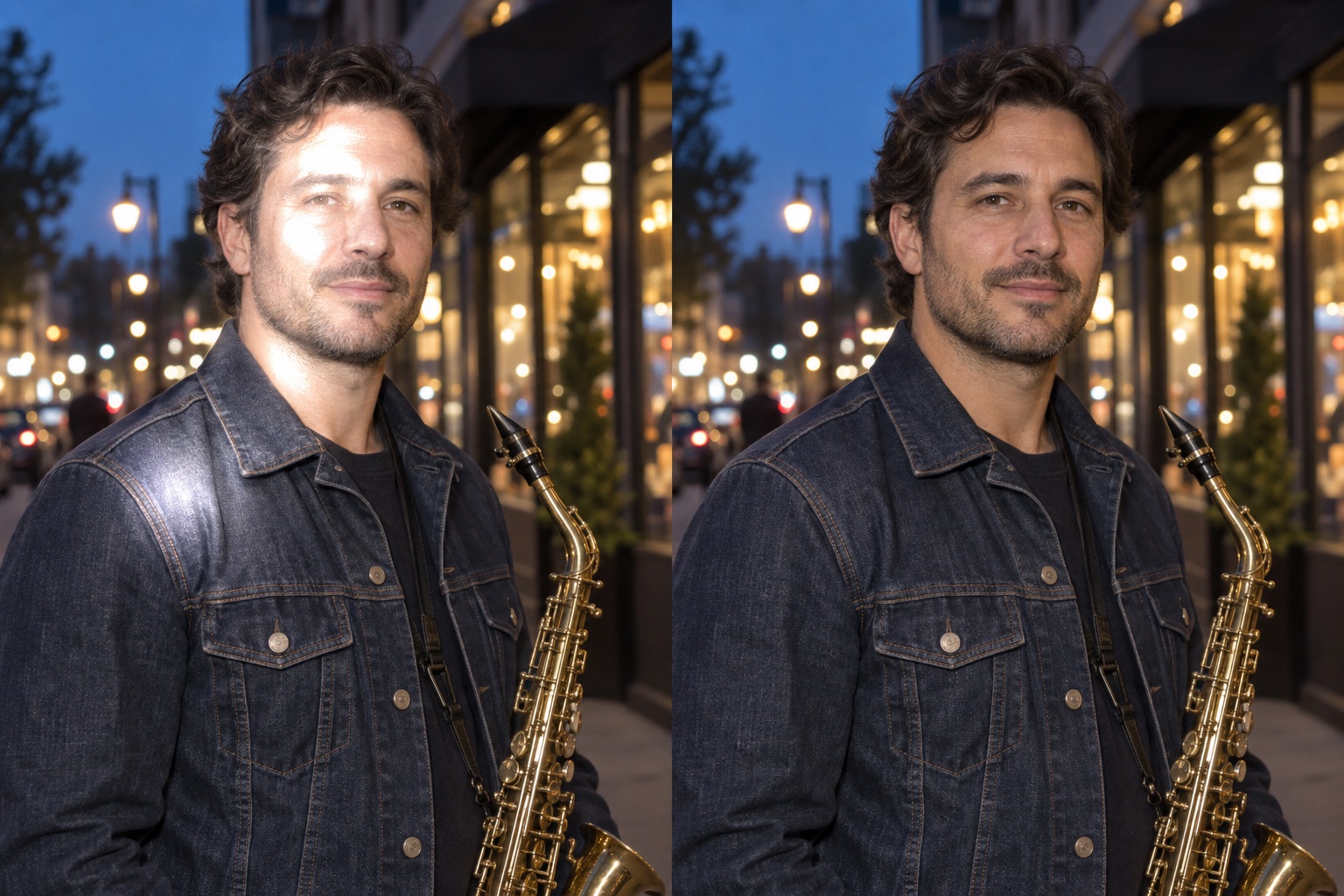
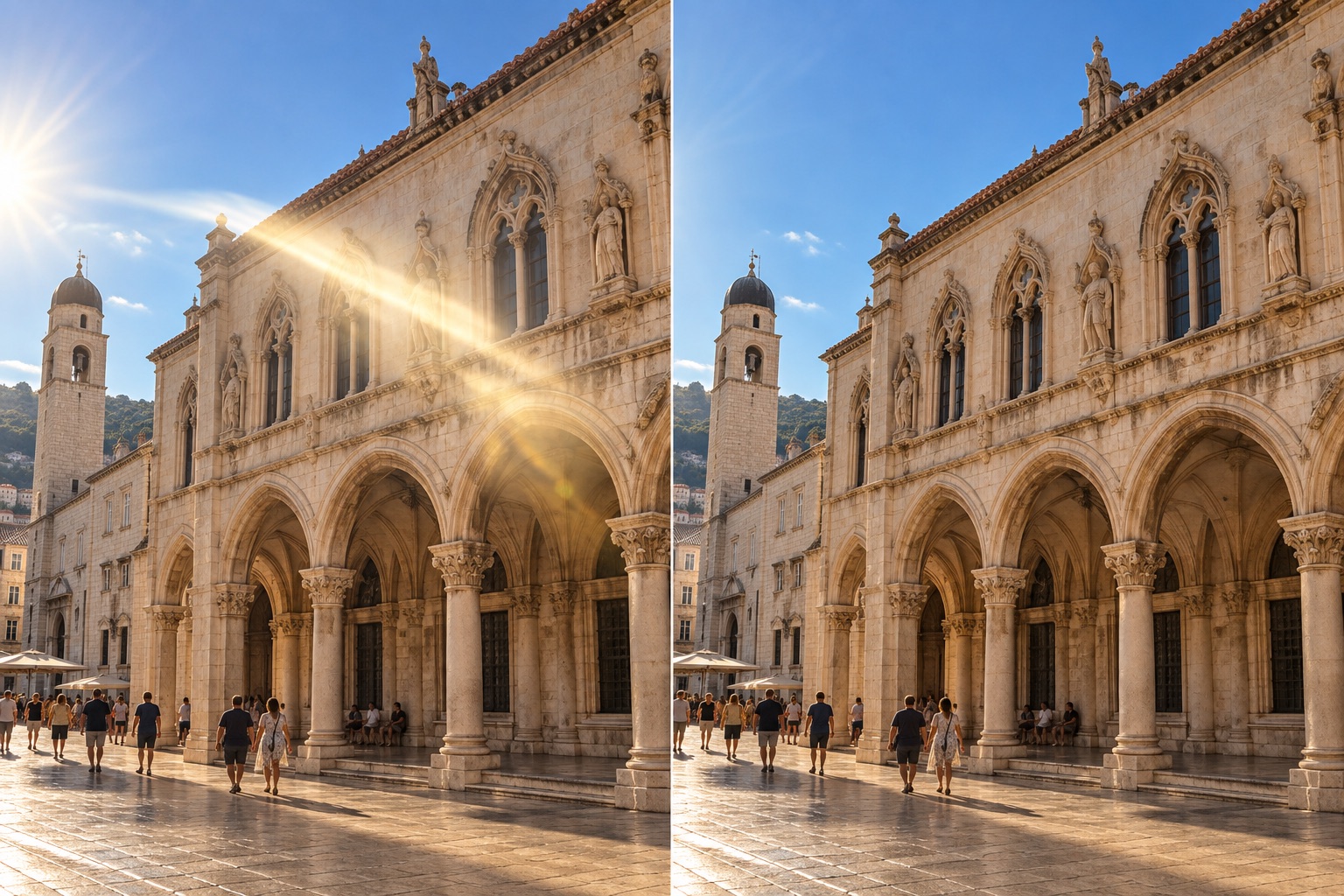
These sunlight glare and flash glare examples show how to reduce harsh light without losing the natural brightness of the photo.

Sunlight & flash glare before correction
Sunlight & flash glare after correction
BeforeAfter
What changes

Soften harsh sun and flash on the subject

Direct light can leave blown-out patches on a face or in an outdoor scene. Reduce those patches locally for a more balanced look without dimming the entire photograph.

Keep the atmosphere and natural direction of light in place.

Edit sun glare
Sunlight & flash glare before correction
Sunlight & flash glare after correction
BeforeAfter
Natural-looking detail

Remove a flare without losing the sunny day

Travel and architecture photos can pick up a bright streak across a building or street. Reduce that localized flare while retaining the original daylight, building lines and scene color.

Fine-tune the strength to keep the scene looking naturally sunlit.

Try a travel photo

Questions about sunlight & flash glare

  • 3 editing methods:  Auto, Brush, and Clone
  • 3 accepted upload formats:  JPG, PNG, and WebP
  • 15 MB:  maximum upload size
  • 1600 × 1200 pixels:  maximum editing and export workspace
How do I remove sunlight glare or flash glare from a photo?

Lower the brightest sunlight or flash hotspots locally and keep the rest of the photo unchanged. Fully white areas may be overexposed, so lost detail cannot be reconstructed from the original file.

Does my photo upload to a server?

Choosing a photo for preview keeps it in your browser. Remove Glare From Photo does not save uploaded photos on its server. AI editing sends your selected photo to an image-processing provider.

Which file types can I save?

Download the result as a PNG or JPG, at full edited size or half size. Large uploads are resized to a maximum of 1600 × 1200 pixels.

Content by Remove Glare From Photo.